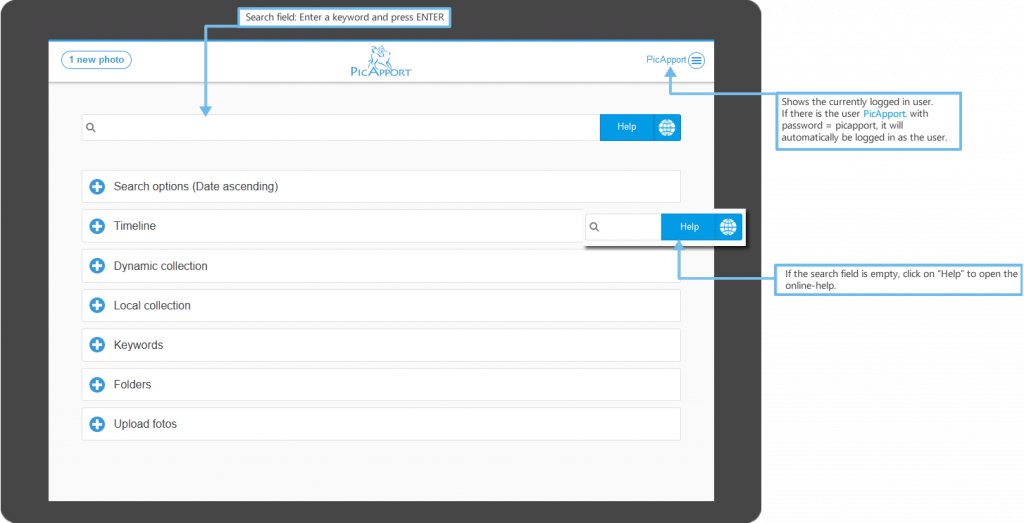
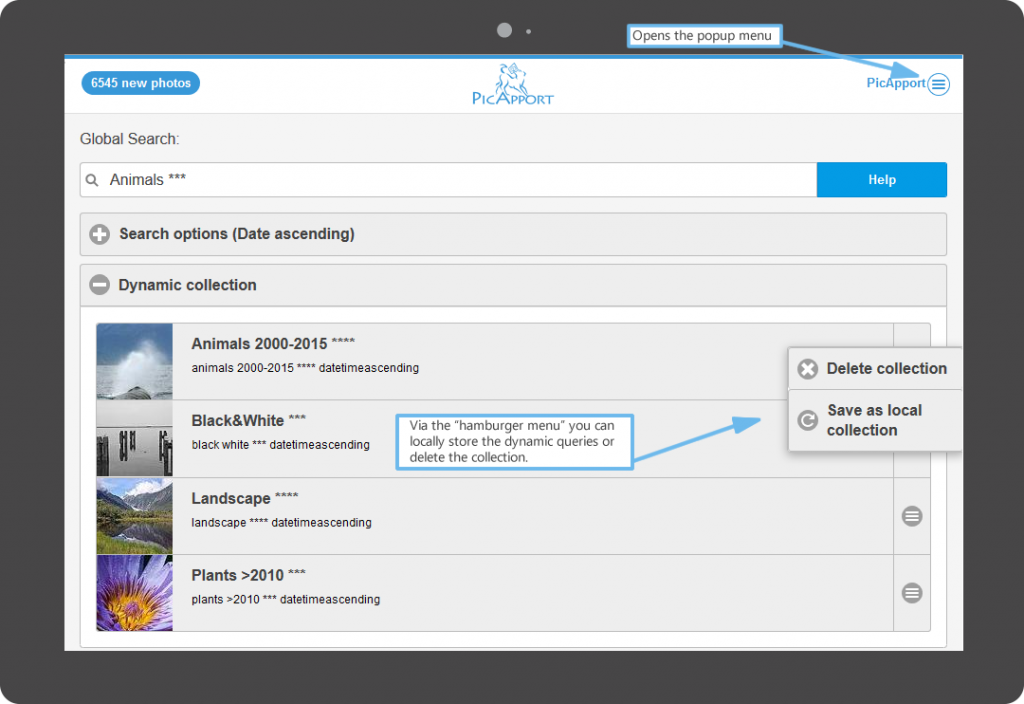
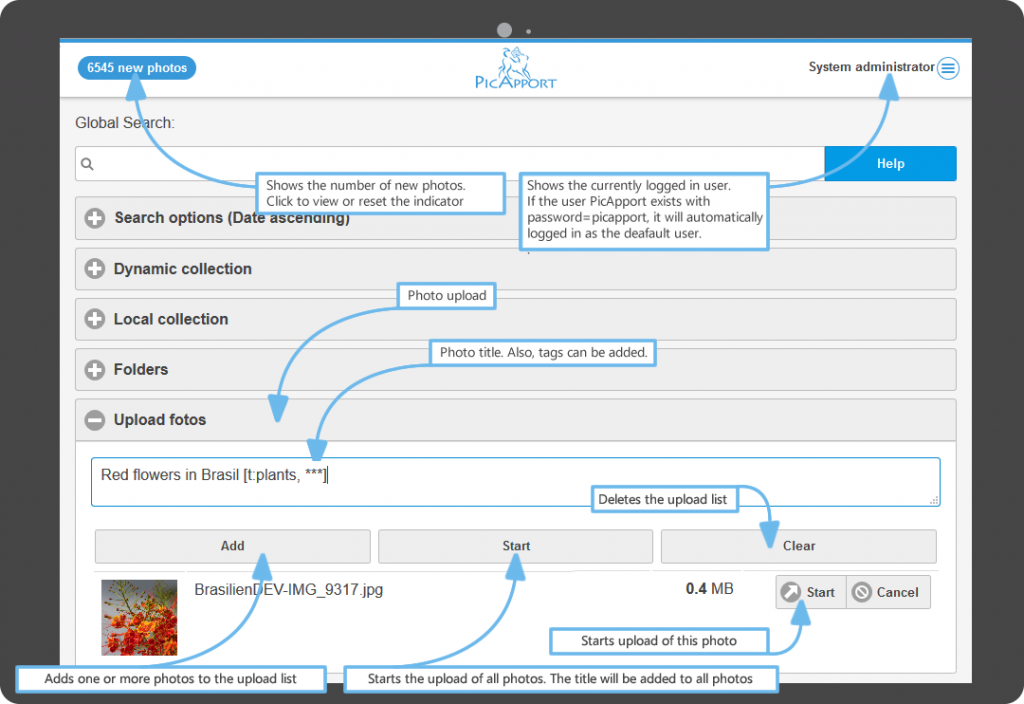
Thehomeis used to selectandmanage photo queriesstored on thePicApportserver. Here the photos to display are selected, stored in dynamic queries or you can navigate through the folders.
PicApport has a powerful query language. Just click on the help button that is at the right side of the search box.
Overview
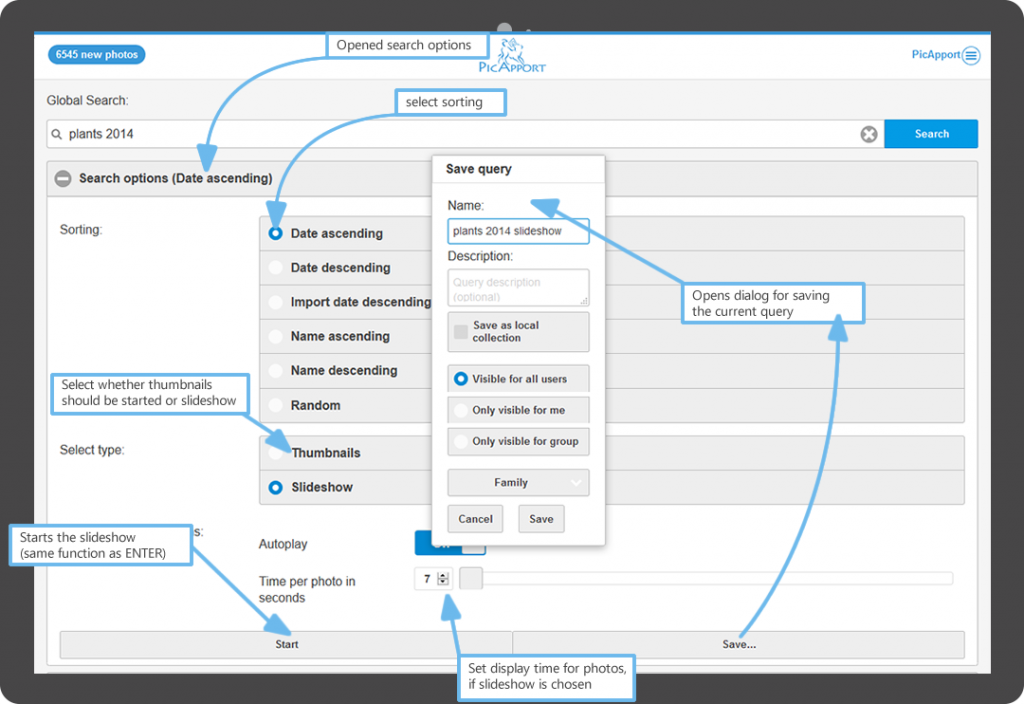
Search options and save a dynamic collection
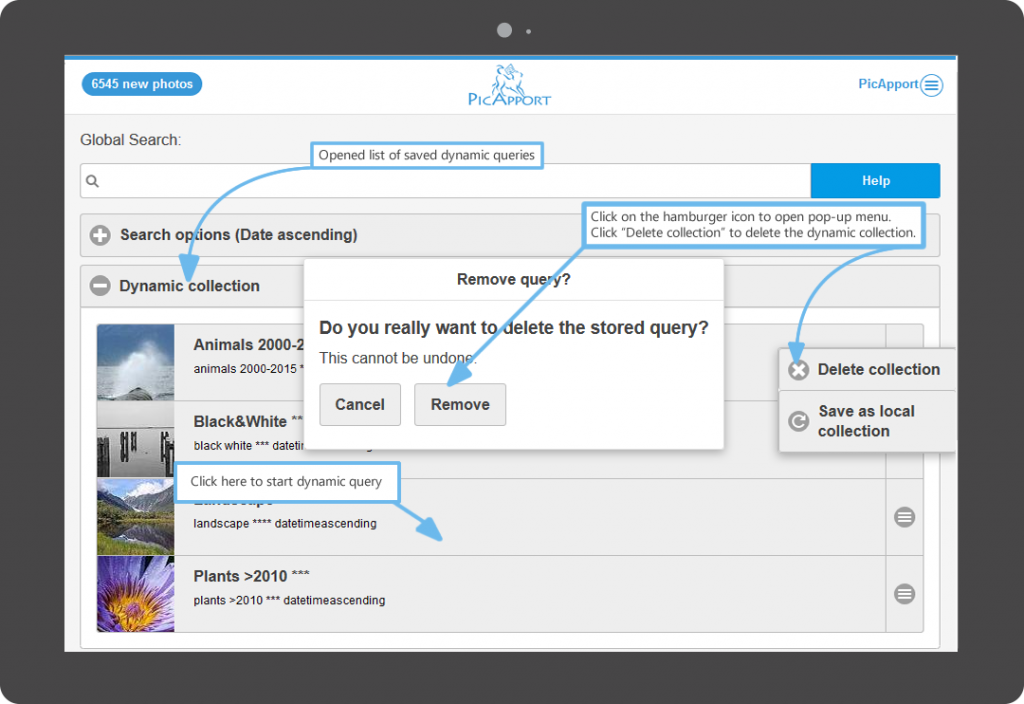
Manage dynamic collections
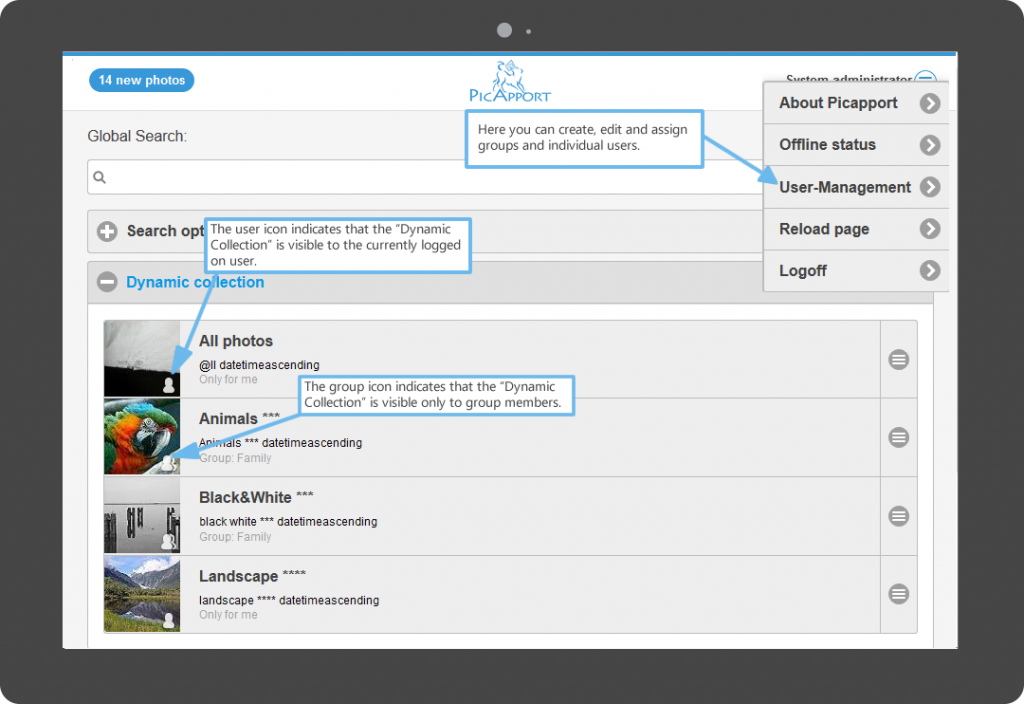
Collections of a certain user or of a user group
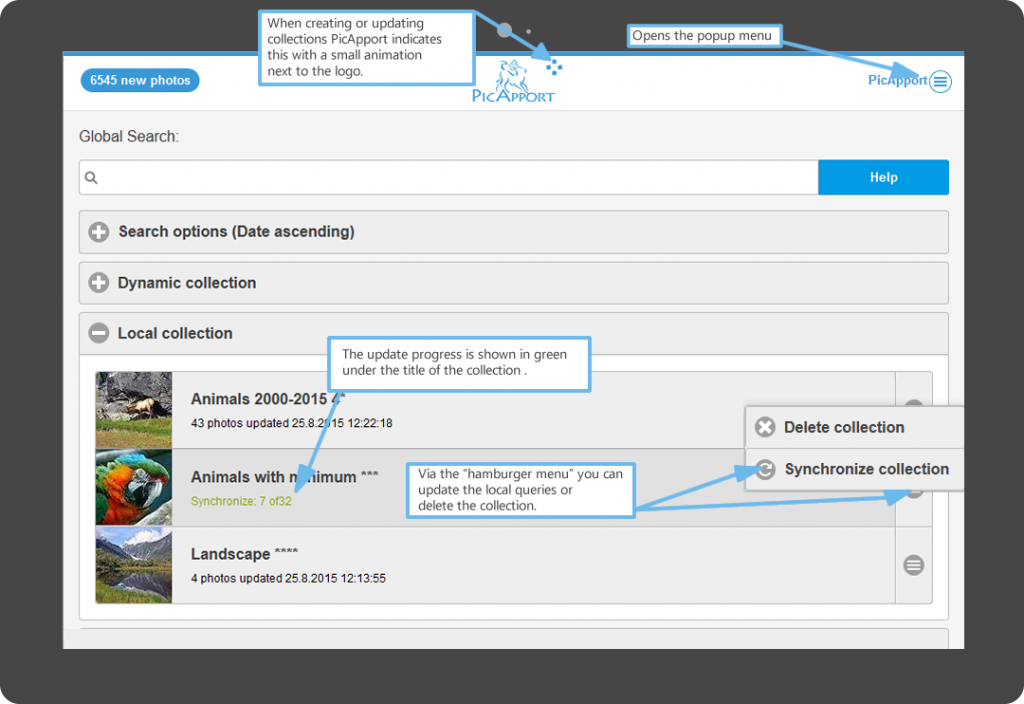
Local collections
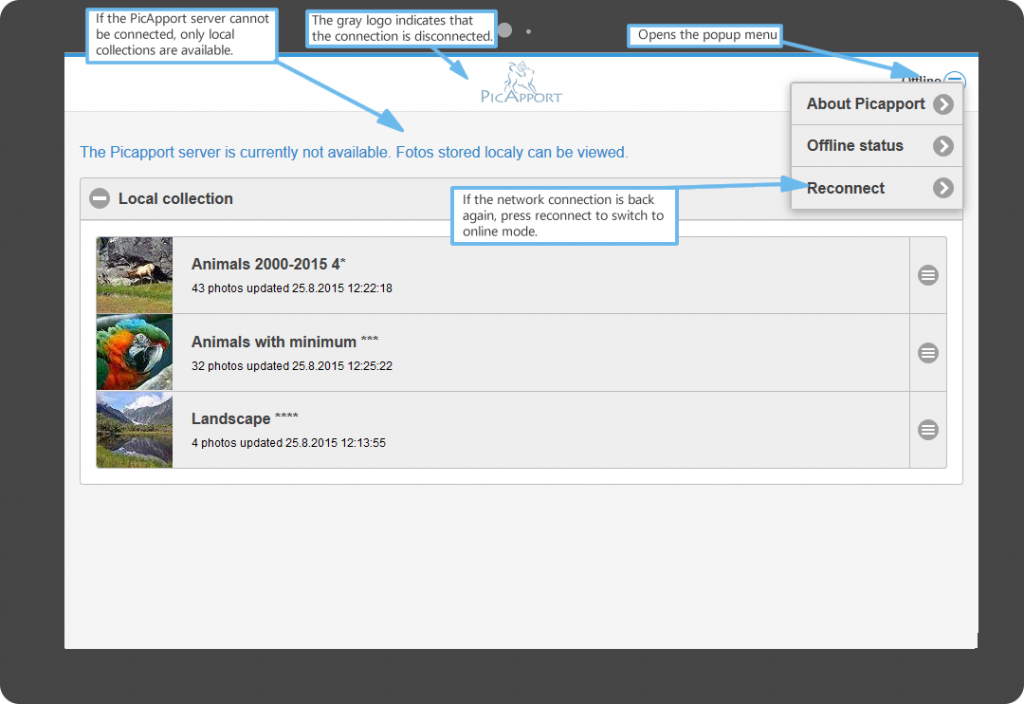
Photos in local collections will be stored directly in a database in your browser on your device (IndexedDB). These photos will be available even if your cell phone does not have a connection to your PicApport server. A convenient synchronization feature supports you to update your existing local collections.