| Name of the addon | Imagga – Automatic tagging of photos |
|---|---|
| Type | Procedure and database extension |
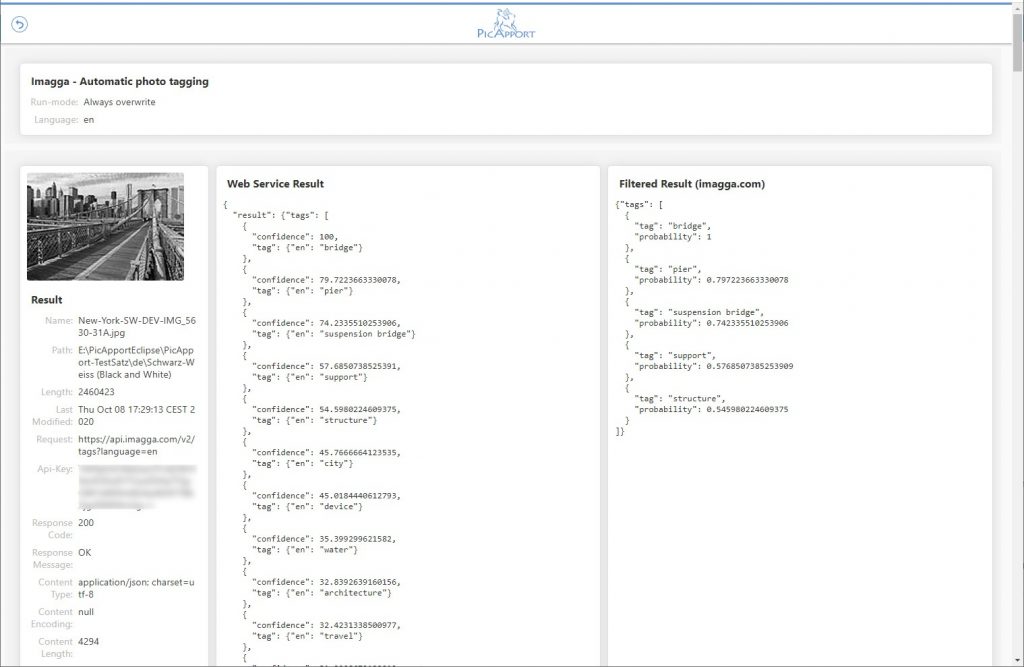
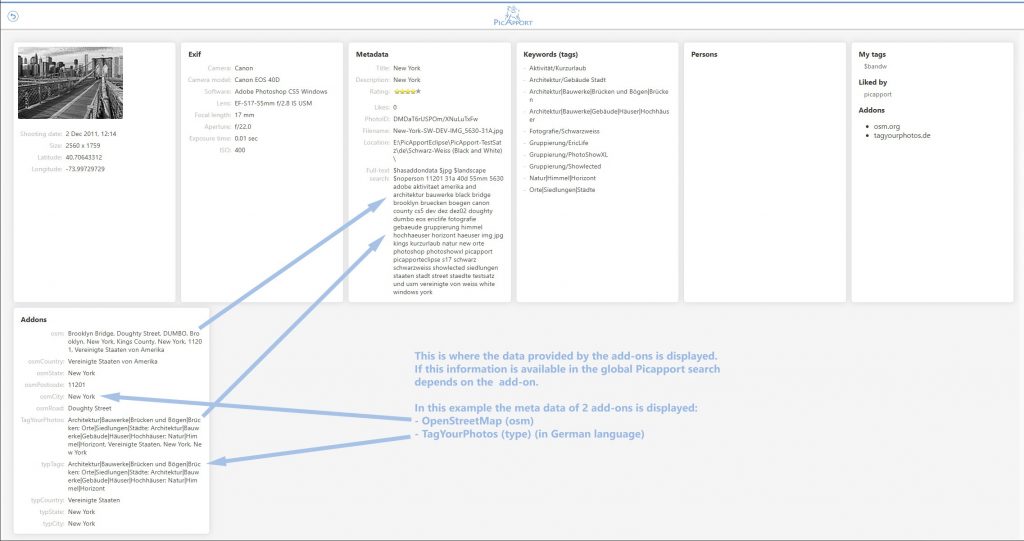
| Description | Get additional meta data of the selected photos, which will be stored directly in the jpg file. It is important that no existing metadata (independent of the add-on) is changed or deleted (the different input parameters described below only refer to the data fields of the respective add-on). The newly acquired information is stored in a separate namespace in JSON format in the XMP segment of the photo metadata. During indexing, PicApport uses this data to generate additional search fields. Languages Supported:
Please note that the image information is transferred to Imagga.com. The add-on transfers the scaled jpg file without metadata to Imagga.com. |
| File name of the addon | pagpImagga-x.x.x.zip (x.x.x indicates version) |
| In Windows Installer | No |
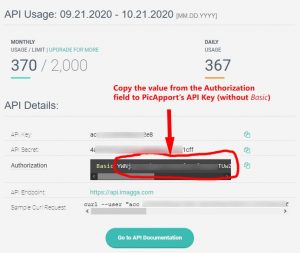
| Prerequisites |
|
| Required permission of PicApport-Users |
|
| Download page | https://www.picapport.de/en/add-ons.php |
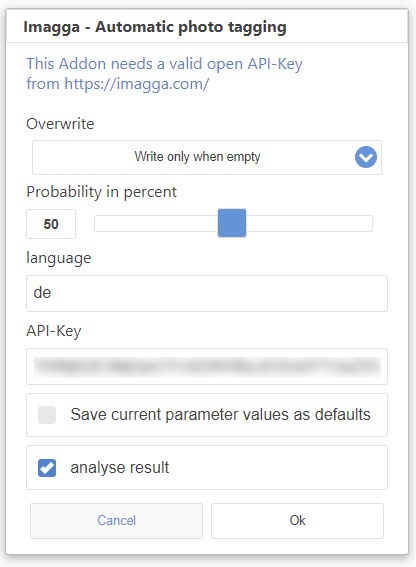
| Input parameters |
|
| metadata |
|
| PicApport Database fields and Operators |
| Imagga | String | YES | FULLTEXT (withWildcards) | YES | Content of all data fields determined by Imagga |
|
| ImaggaTags | String | YES | HIERARICAL | YES | All tags of the Imagga request that corresponds to the settings of the probability parameter. |
|